UI for agents — a solved problem?
My hypothesis was that UI Toolkit suits agentic UI development better than uGUI. I tested it on windows from a popup to a drag-and-drop inventory.
So here's what I wanted to try. My initial hypothesis was that UI Toolkit is a better fit for agentic UI development than uGUI.
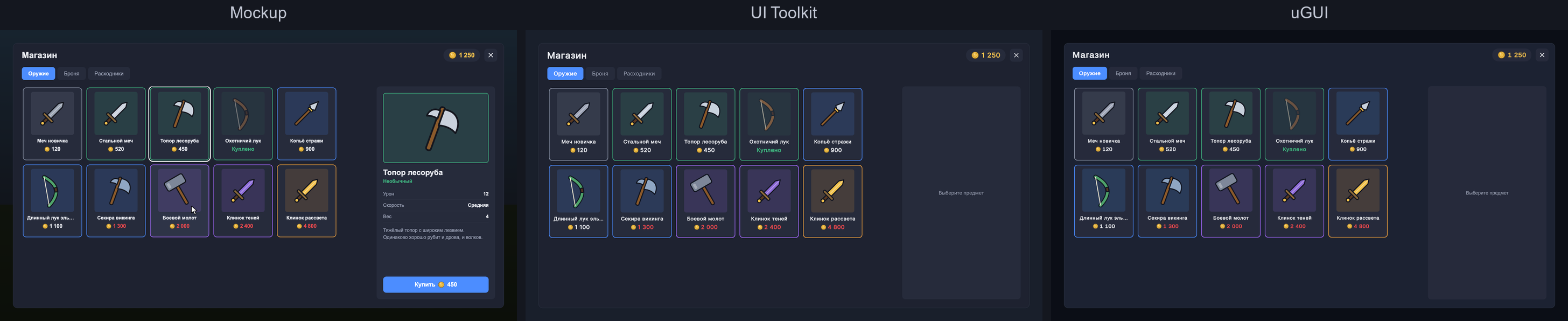
How I decided to test it: I took windows of different complexity, from a popup to a shop. A confirmation popup, a to-do list and a small in-game shop with tabs and item previews. I wanted to see what mistakes each option would make, where things would go wrong, where the difficulties would be — basically, any differences at all.
The conditions are the same for both: bare Unity 6, Claude Code, Opus 5.5 and unity-mcp, nothing else. The agent gets a spec and a mockup and builds the window on its own from a single prompt; I don't step in at all. Then I go through the result myself against a checklist the agent never saw.
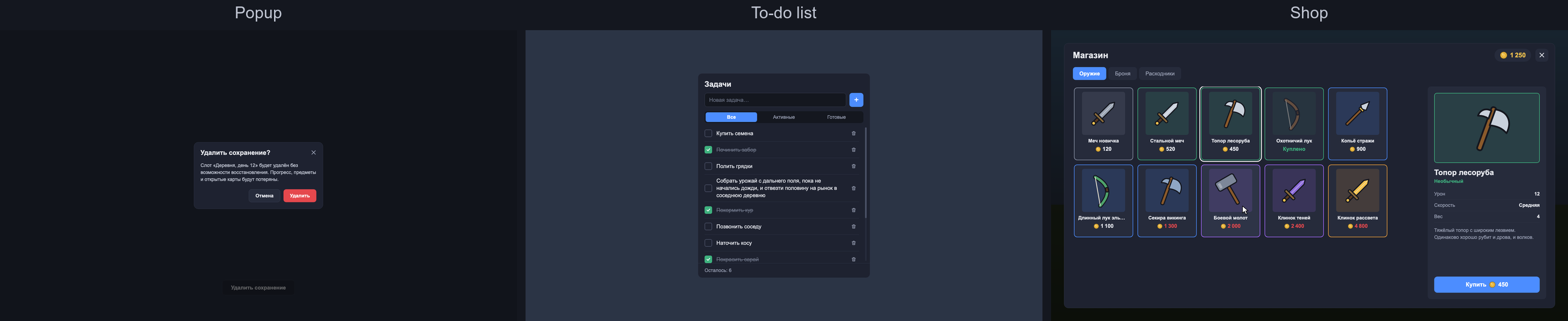
And in the end, after three runs, it turned out that both options work, equally well and without errors, so I had nothing to compare. Both agents scored 100% everywhere.
So I decided to make an even harder window — an inventory with a tile grid where you play this kind of Tetris: drag and drop, rotation, stacks, a two-handed weapon that takes the shield off, tooltips with item comparison and so on. Seemingly a genuinely hard task, especially on the first try.
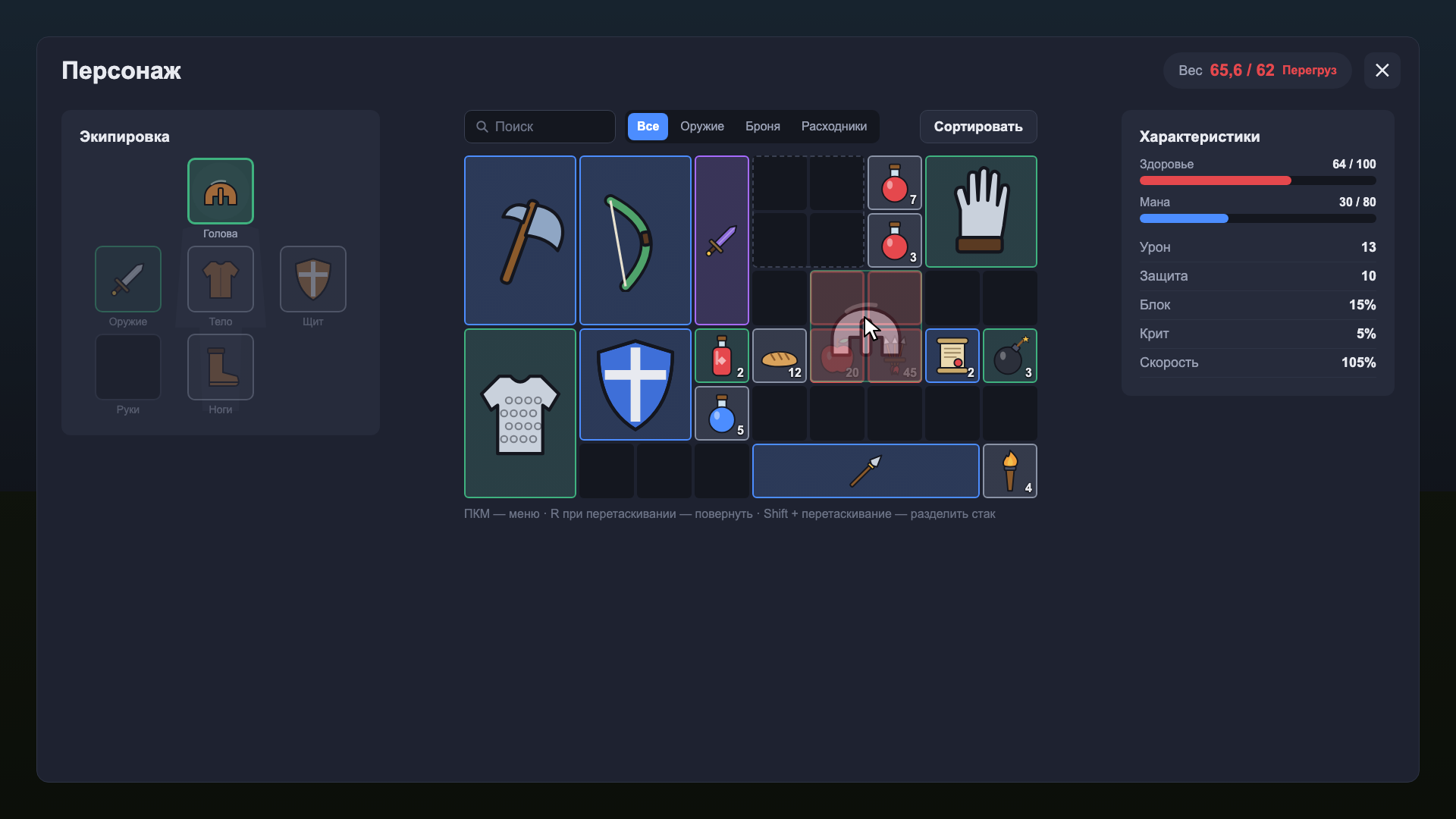
And Claude actually handled it too. On both frameworks, in about 15 minutes each.
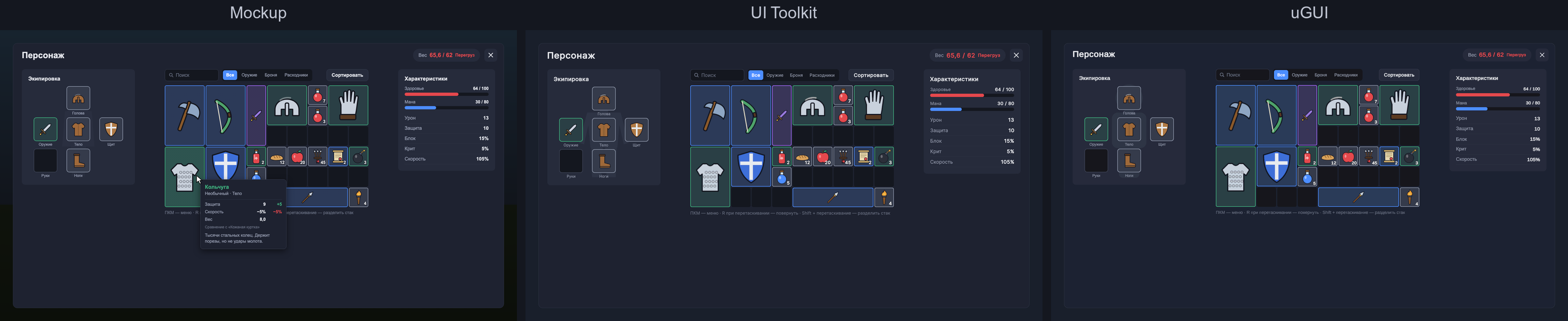
How cleanly it did these tasks within each framework, I won't judge, because that's a value judgment. What isn't a value judgment is that it did all of it, and it works.
So, in my view, UI in game dev is solved, at the very least. I honestly find it hard to come up with a UI that's even harder. I guess you could add some client-server interaction, but that would be contrived, and for some reason I'm not sure Claude couldn't handle that too.
So UI looks like a solved problem. The next question is simply how to stay out of Claude's way in large existing projects.
That's it for this note. More conclusions to come in full articles.